.jpg)
As podcasting grows, studios (whether run by a solo host or a small team) often find themselves juggling a growing number of contacts and tasks: guests to manage, sponsors or advertisers to coordinate, listeners or clients reaching out, recording sessions to book, post-production scheduling, marketing, and more. Without a unified system, it's easy for things to slip through the cracks: missed follow-ups, disorganized spreadsheets, scheduling chaos, or inconsistent communication. A Customer Relationship Management (CRM) approach changes all that, giving your podcast studio structure, consistency, and the foundation for sustainable growth.
Why Podcast Studios Have CRM-Friendly Needs
Podcast studios aren't just about recording episodes. In effect, you're managing a growing web of relationships:
- Clients - booking, scheduling, tracking past appearances, knowing who to follow up with in the future, newsletters, feedback, outreach, promotional campaigns.
- Investors / Partners - proposals, negotiations, contracts, payment reminders, ongoing communication.
- Collaborators - editors, promoters, producers, advertisers, each with their own communications and responsibilities.
- Production workflows - from client outreach to recording to editing to publishing to marketing.
As your studio grows, manually juggling all these with spreadsheets, sticky notes, or scattered tools becomes inefficient and even risky. That's where CRM becomes a powerful asset: a system built to manage relationships, workflows, data, and communications in an organized way.
Core Benefits of CRM for Podcast Studios
Centralized Contact & Interaction History
With a CRM, all your contacts (clients, sponsors, freelancers) and their entire interaction history (emails, calls, booking dates, past episodes, notes) are stored in one centralized place. This makes it easy to retrieve prior conversations, recall details about past collaborations, or know exactly when you last reached out. No more digging through emails or spreadsheets for “who said what.” Centralization also helps if you have a small team: everyone works off the same up-to-date info.
Streamlined Communication & Automated Follow-ups
CRM systems automate routine but essential tasks: scheduling reminders (for client recording sessions, follow-ups), automated emails (thank-you notes, promotional blasts, feedback requests), and calendar or task assignments. This significantly reduces the mental load and administrative overhead, and minimizes the risk of missing important messages or deadlines.
Lead, Client, and Opportunity Management - Organized as Pipelines
Think of every outreach, negotiation, conversion, or new cooperation as a “lead” or “opportunity.” CRM lets you track each of these through stages: e.g., “contacted,” “interested,” “booked,” “recorded,” “published,” “follow-up.” This visibility ensures nothing is forgotten, and you always know where each contact stands - preventing lost opportunities or dropped communications.
Segmented Data & Targeted Outreach
Because CRM lets you tag contacts (client, sponsor, collaborator, etc.), you can segment your contacts into meaningful groups. That means sending targeted communications: a newsletter to subscribers, sponsor proposals, re-booking invitations to past clients, etc. This targeted, segmented approach helps you stay organized and communicate more effectively.
Improved Team Collaboration and Consistent Workflow
If your podcast studio involves more than one person - co-hosts, editors, marketing support, admin, sales manager - CRM ensures everyone sees the same contact data, the same status of leads or projects, and the same communication history. For studios that want to go further, pairing CRM with clearly defined SOPs creates an even more consistent and scalable operation. That shared “single source of truth” means no duplicate outreach, fewer miscommunications, and smoother handoffs between people responsible for different tasks.
Scalability - Growing With Your Studio
As your studio grows, with more clients, more investors, your CRM scales with you. The same system that handles a handful of contacts works just as well for hundreds or thousands. This makes sure that your processes stay organized even as your reach expands.
Better Decision-Making Through Data & Insights
CRM systems don't just store data - they help you analyze it. You can see patterns: which clients brought more engagement, which investors are most responsive, which marketing or outreach campaigns yielded more clients, how frequently certain contacts respond, and what type of outreach works best. These insights guide smarter decisions about who to target, when, and how.
How CRM Enhances Guest, Sponsor, Listener & Workflow Management in Podcast Studios
Client Outreach & Booking
Using CRM, you store client contact info, past episode history, and communication notes, so that rebooking and guest follow-ups become simpler. You can schedule reminders for outreach, confirmations, or recording sessions, and never lose track, even if the guest backlog grows.
Sponsorship / Partner / Advertiser Management
Sponsors often require careful tracking: proposals, emails, negotiations, contracts, payment reminders, and follow-ups after campaigns. CRM lets you treat each sponsor as a contact with history, status, and notes, so relationships stay organized, and nothing is lost even across multiple episodes or campaigns.
Client Engagement & Marketing
With CRM segmentation, you can build separate lists for email subscribers, clients, paying customers, or collaborators. You can then send targeted newsletters, show announcements, promotions, feedback requests, or special offers. This structured outreach builds listener loyalty and improves engagement over time.
Production Workflow & Team Coordination
Treat each episode or project as a “pipeline stage” - from concept to booking to recording to editing. CRM can track what stage each episode is in, who's responsible, deadlines, notes, and communication history. This ensures the workflow stays smooth and deadlines are met, even when multiple people are involved.
Post-Production Follow-ups, Re-engagement & Retention
After recording an episode or completing a collaboration, CRM enables you to follow up - to thank guests, ask for feedback, invite them back, or send sponsor reports. For clients, CRM reminds you when to re-engage (e.g., for new episodes, promotions, or newsletter drops), which helps build long-term relationships and loyalty.
How Podyx Fits Into This Picture
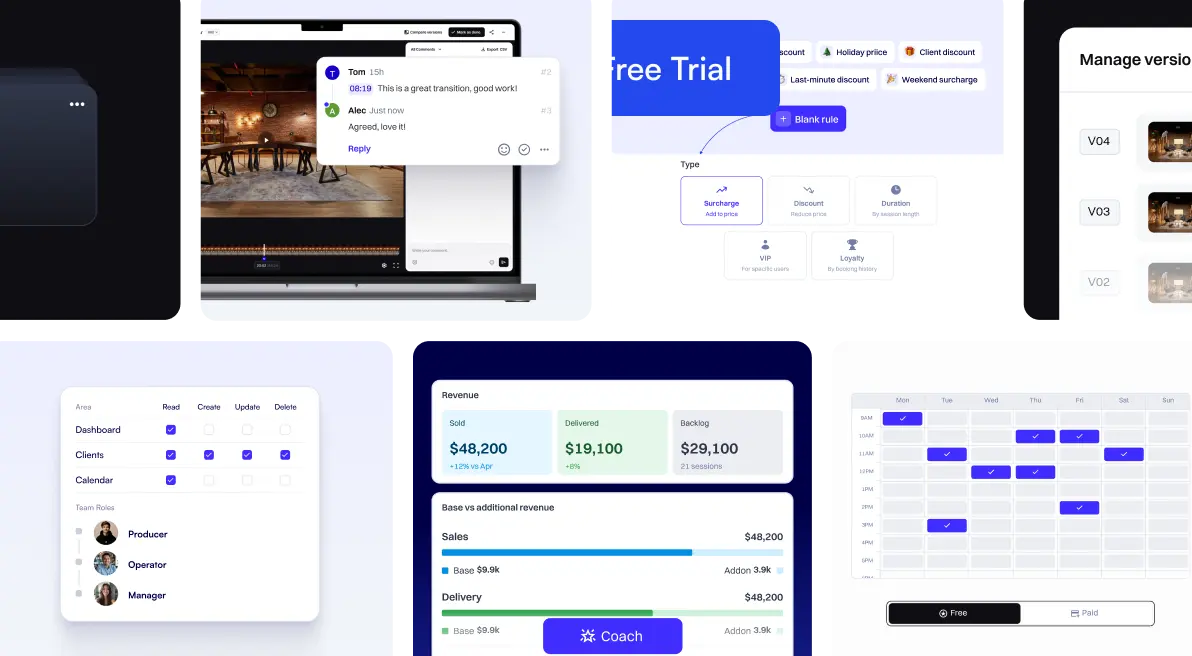
Podyx exports bookings and contacts as CSV, letting you import everything into your CRM to centralize data, streamline workflows, and optimize engagement.
Best Practices for Implementing CRM in a Podcast Studio
- Define your contact categories from the start - label contacts as “client”, “sponsor/advertiser”, “collaborator”, etc. This keeps things clean and organized.
- Use tags or custom fields - store extra context: e.g., “past client”, “prospective sponsor”, “newsletter subscriber”, “pending follow-up”, “VIP client”. This helps with segmentation and targeted outreach.
- Leverage automation features - set reminders, automated follow-up emails or messages (after a client record, after a sponsor deal). Saves time and avoids missed opportunities.
- Log every interaction - after calls, emails, bookings, sessions - so you have a full history. This helps especially if you work with a team or revisit contacts over time.
- Segment before you send - when doing newsletters, promotional messages, outreach to sponsors, or re-engagement campaigns - use segmentation so each audience gets relevant content.
- Monitor and analyze your data - use CRM reporting to identify which clients, sponsors, or marketing campaigns perform best; which ones respond; how often you follow up; and what's converting. Use those insights to refine your outreach and strategy. Pair this with a structured approach to collecting customer feedback for even deeper insight.
- Keep CRM data clean and updated - remove duplicates, update contact details, and archive inactive contacts, so your CRM remains accurate and useful.
Conclusion
For podcast studios, a CRM isn't just a “sales tool” - it's the organizational backbone that makes client scheduling, sponsor management, engagement, and post-production workflow manageable, scalable, and professional.
Whether you run a growing studio with team members or already have an established studio, consistency, automation, and centralized data management will save you valuable time, reduce mistakes, and set the stage for sustainable growth. Start simple: define categories, import your contacts, automate follow-ups, and build habits. Over time, this investment pays off: in better relationships, more consistent communication, smoother workflows, and the ability to scale your podcast operation without getting overwhelmed.
Want to see how Podyx handles bundles, add-ons, and corporate client management in one platform? Book a free 30-minute walkthrough.
Podyx gives you the tools to structure your pricing, sell bundles, manage add-ons, and track average revenue per session — all in one place. Try it free for 30 days, no credit card required.

ss.jpeg)
.jpg)